Rate. Compare. Decide.

Find something you'll both actually enjoy.

Rate films, shows, games, books and food. Compare tastes with a friend or your group, then turn your shared favourites into tonight's plan.

See the app in action →

Free. Works solo, as a couple or with your usual group.

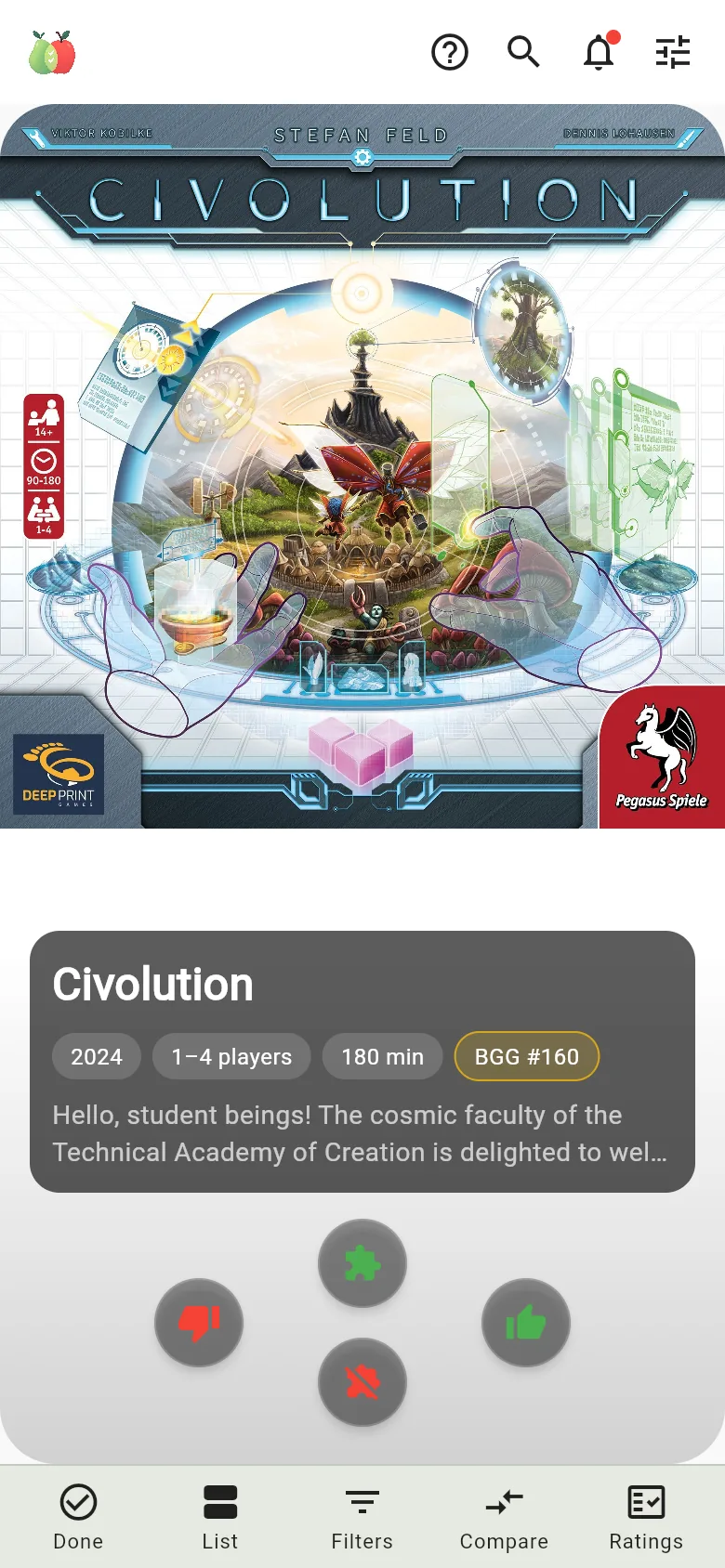
ComPearApple rating screen showing Whiplash with four buttons: didn't like it, liked it, interested and not interested.
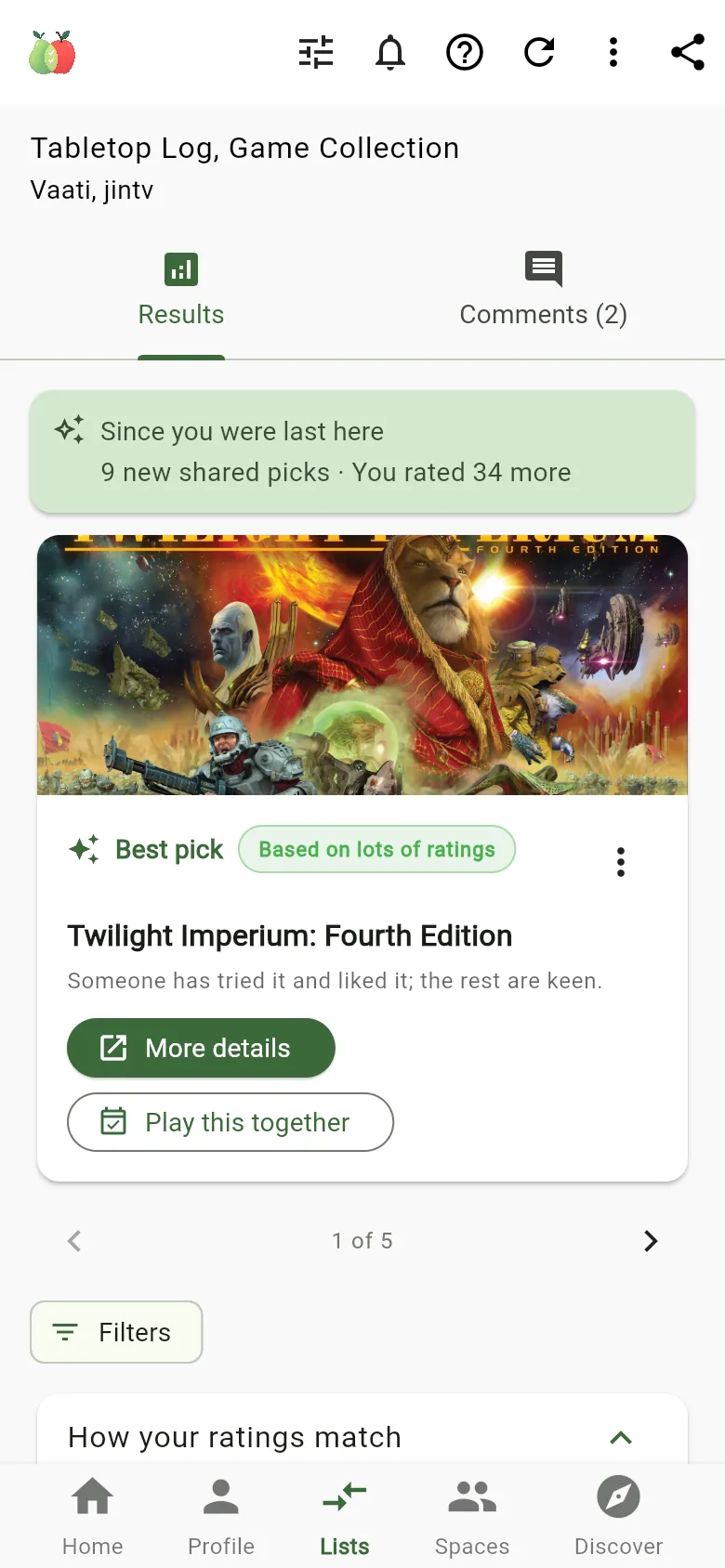
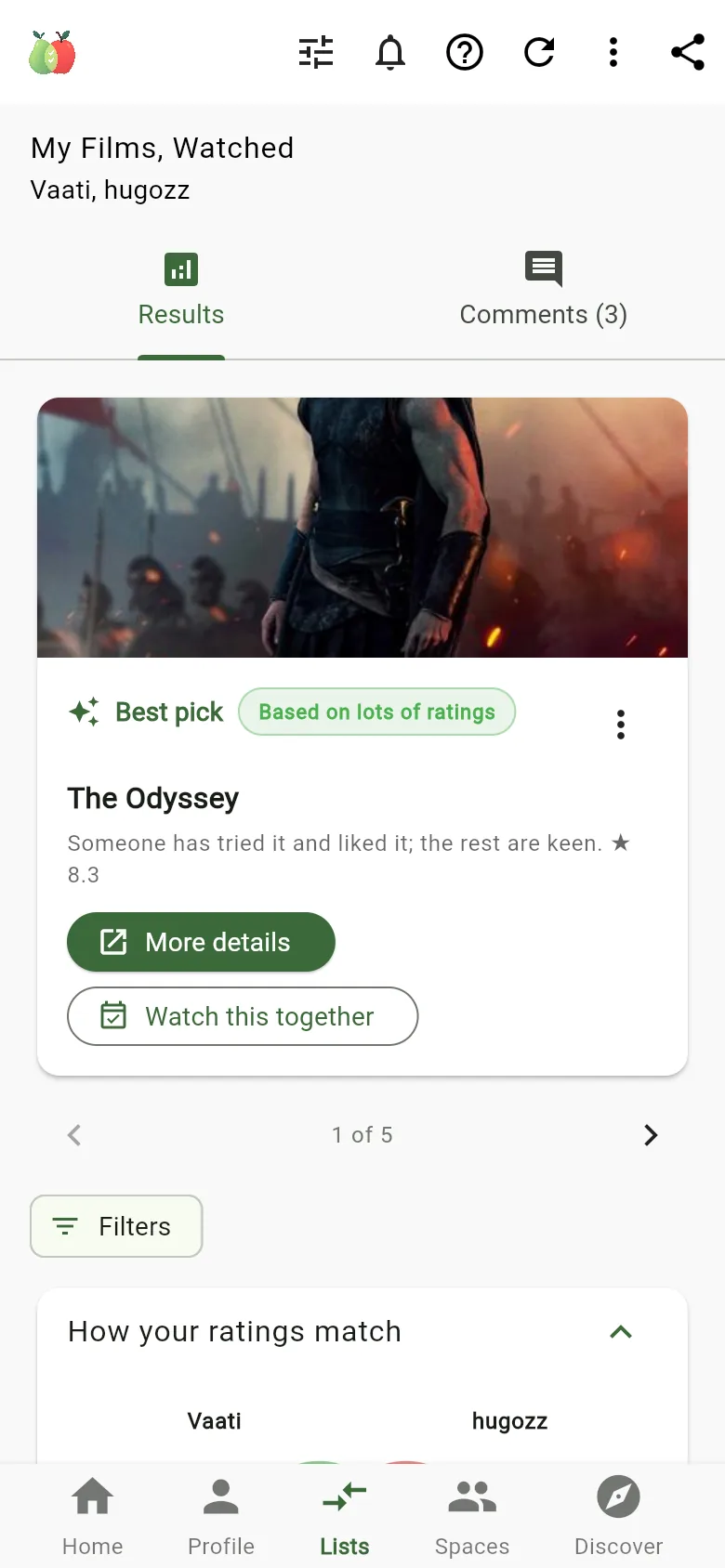
A comparison of two people's film Lists. Best pick: The Odyssey. Someone has tried it and liked it; the rest are keen.
Real screens from the app

How it works

Rate. Compare. Decide.

A few minutes of rating is enough to start finding things you have in common.

  1. Rate what you know

    Swipe through films, shows, games, books, food and more. Tell it what you've enjoyed, and what you'd like to try.

    • Didn't like it
    • Interested

    Not sure yet? Skip it.

  2. See what overlaps

    Compare with a friend, a group or two of your own Lists. You see the picks you agree on, why each one made the cut, and how much rating it's based on.

  3. Make a plan

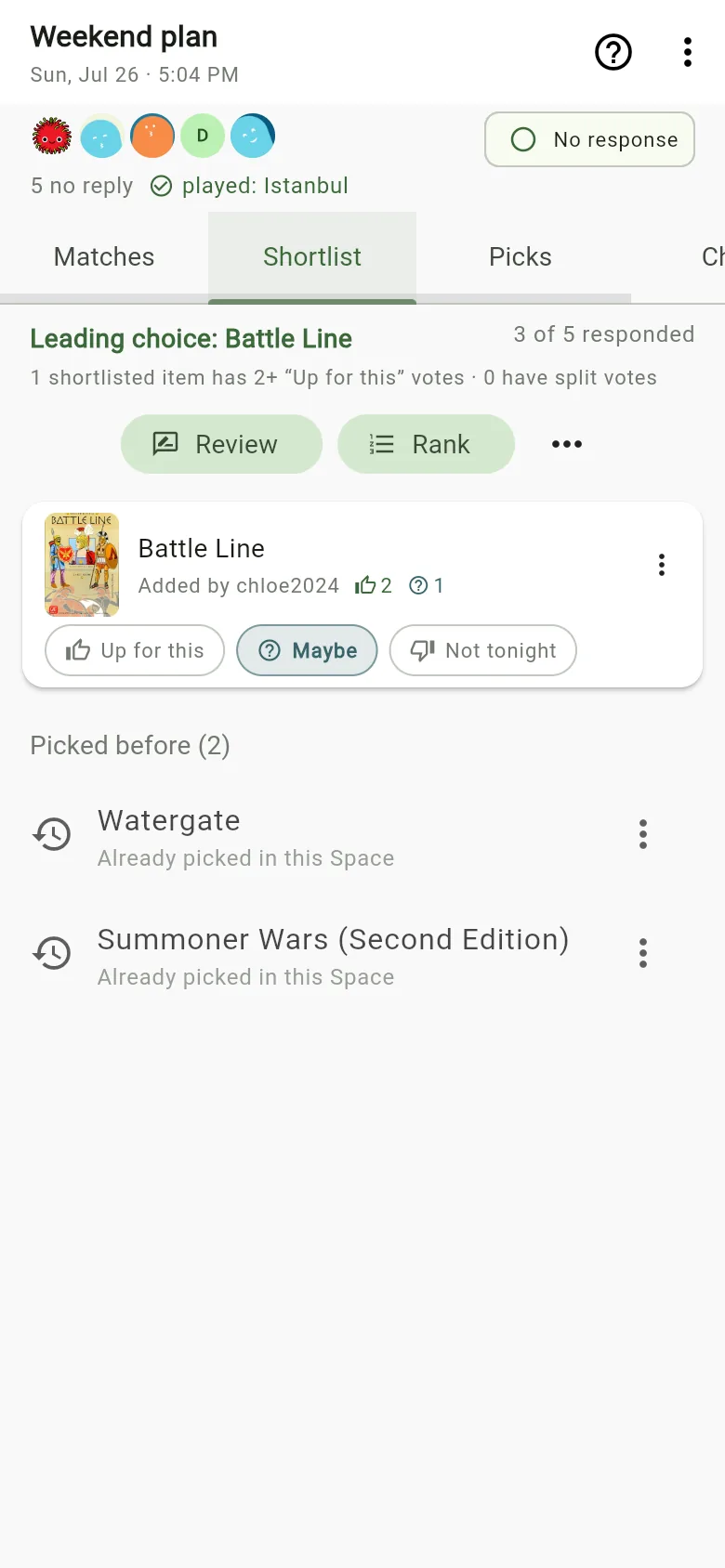
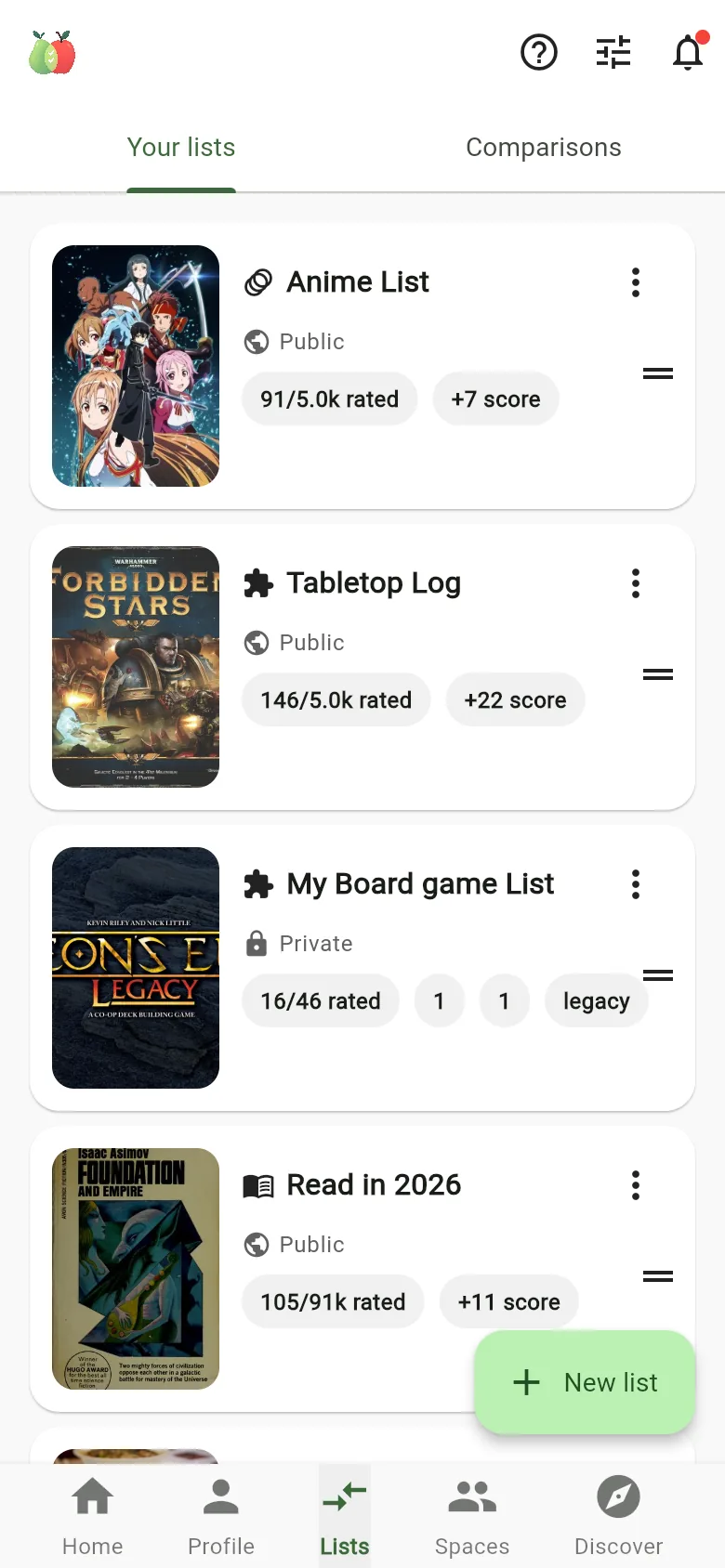
    A Space keeps your group together: film night, game night, the takeaway crew. A Session is one plan inside it, with who's coming, a shortlist and the final pick.

For couples

Your next date-night film, without the debate.

A great film for one of you isn't always a great film for two. See what your tastes have in common before you press play.

  • See how often your ratings agree, and how many ratings that's based on.
  • Best picks come with a reason, like "someone has tried it and liked it; the rest are keen".
  • Found one? Plan it straight from the result.
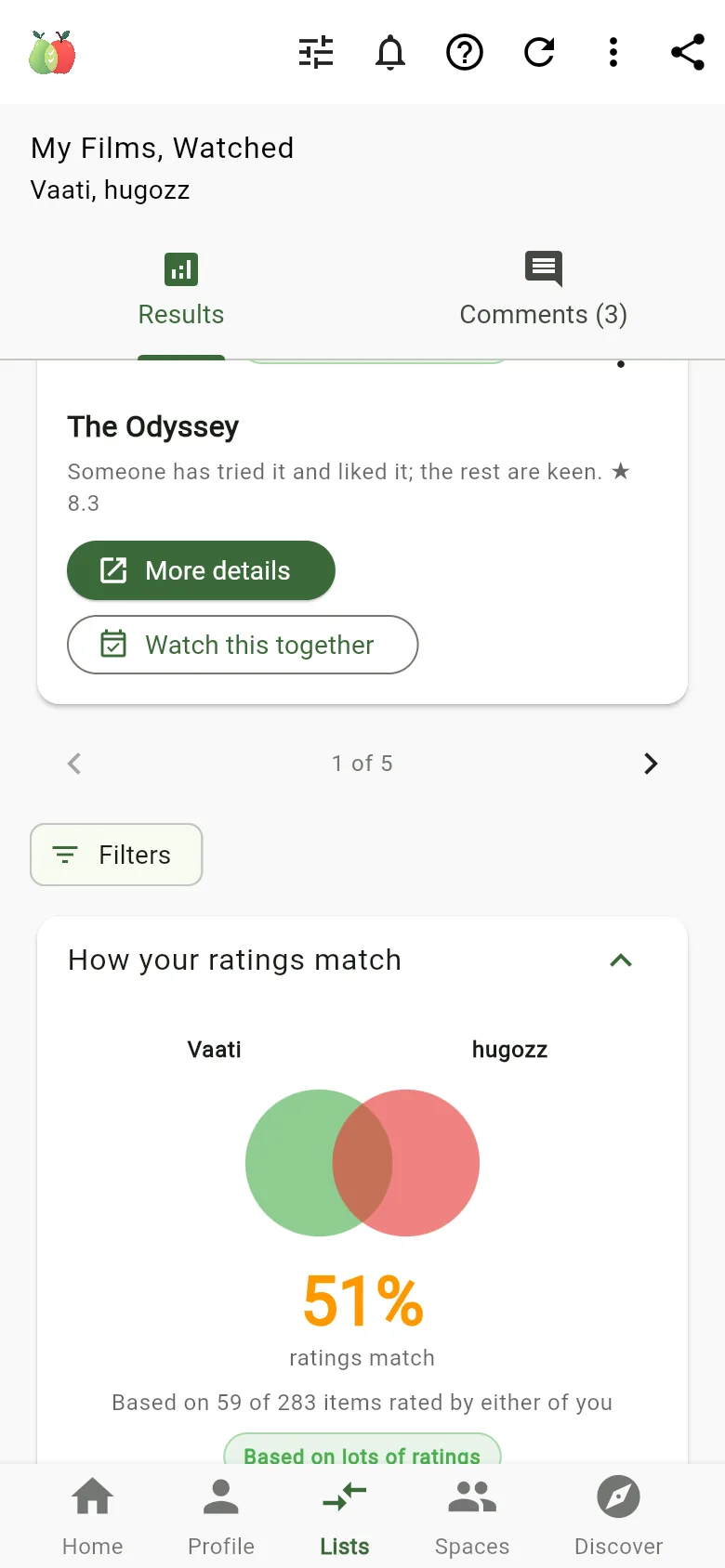
How your ratings match: a diagram for two people showing 51% of ratings match, based on 59 of 283 items rated by either of you.

For board game groups

Your game night, sorted.

Find games your group is keen to play, then narrow it down to what someone can actually bring.

  • Connect BoardGameGeek to bring in the games you own and the plays you've logged.
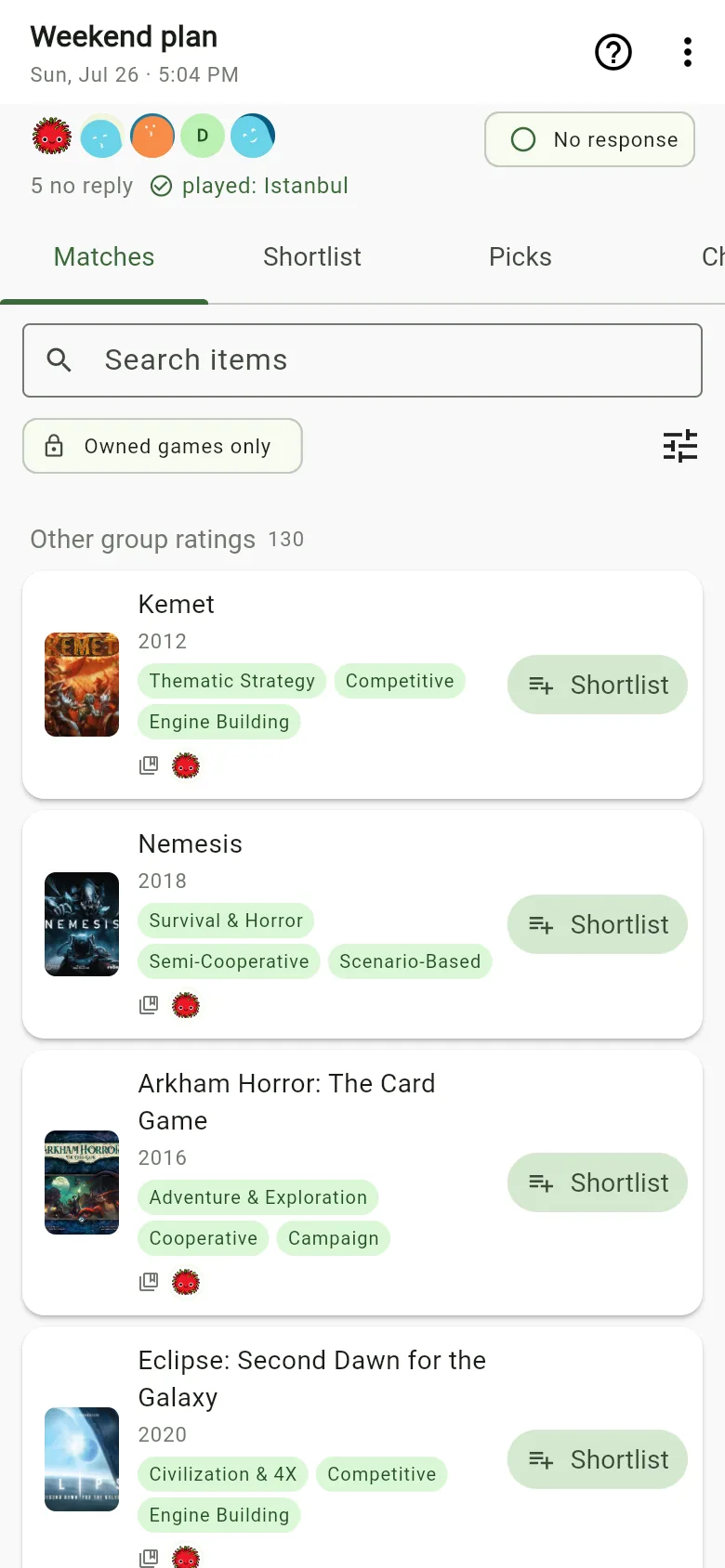
  • Filter a game night to Owned games only.
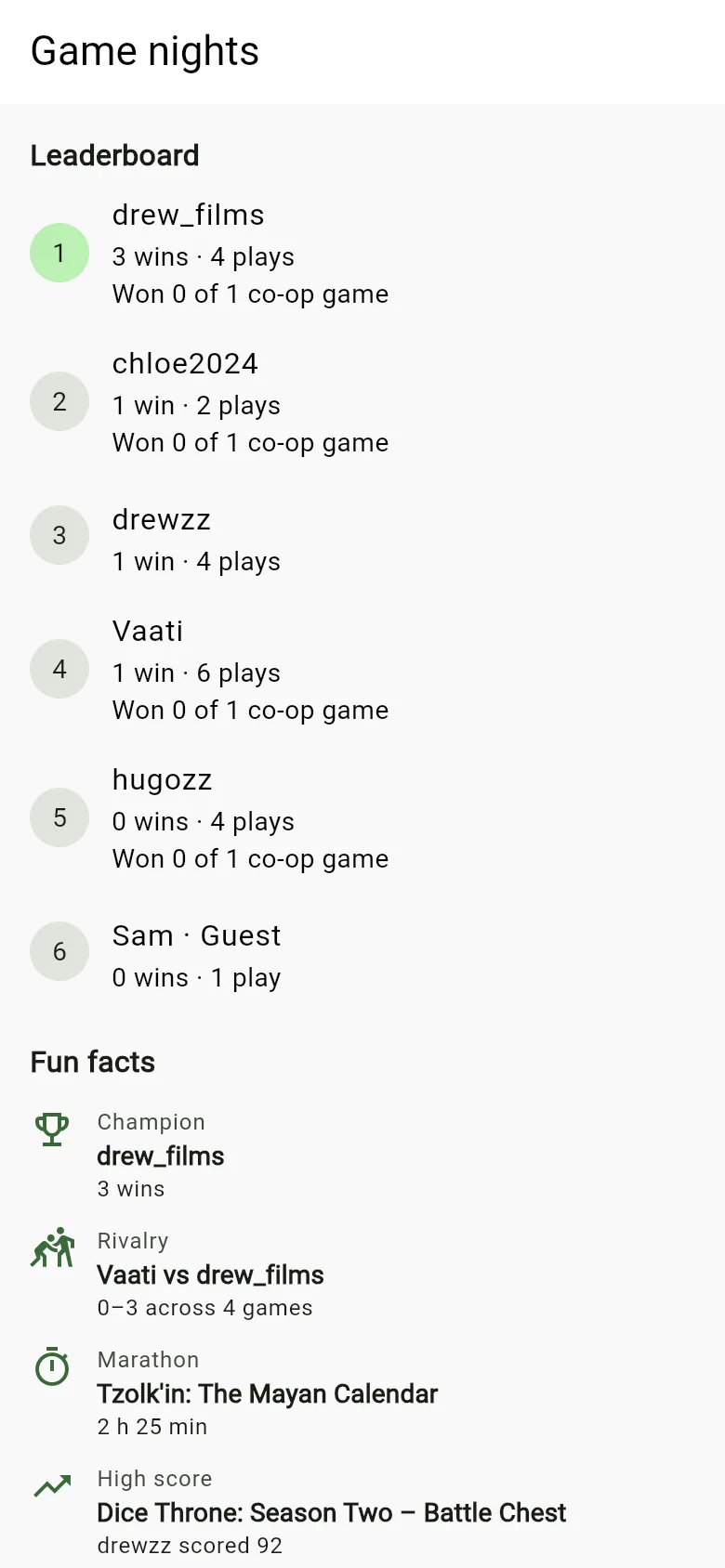
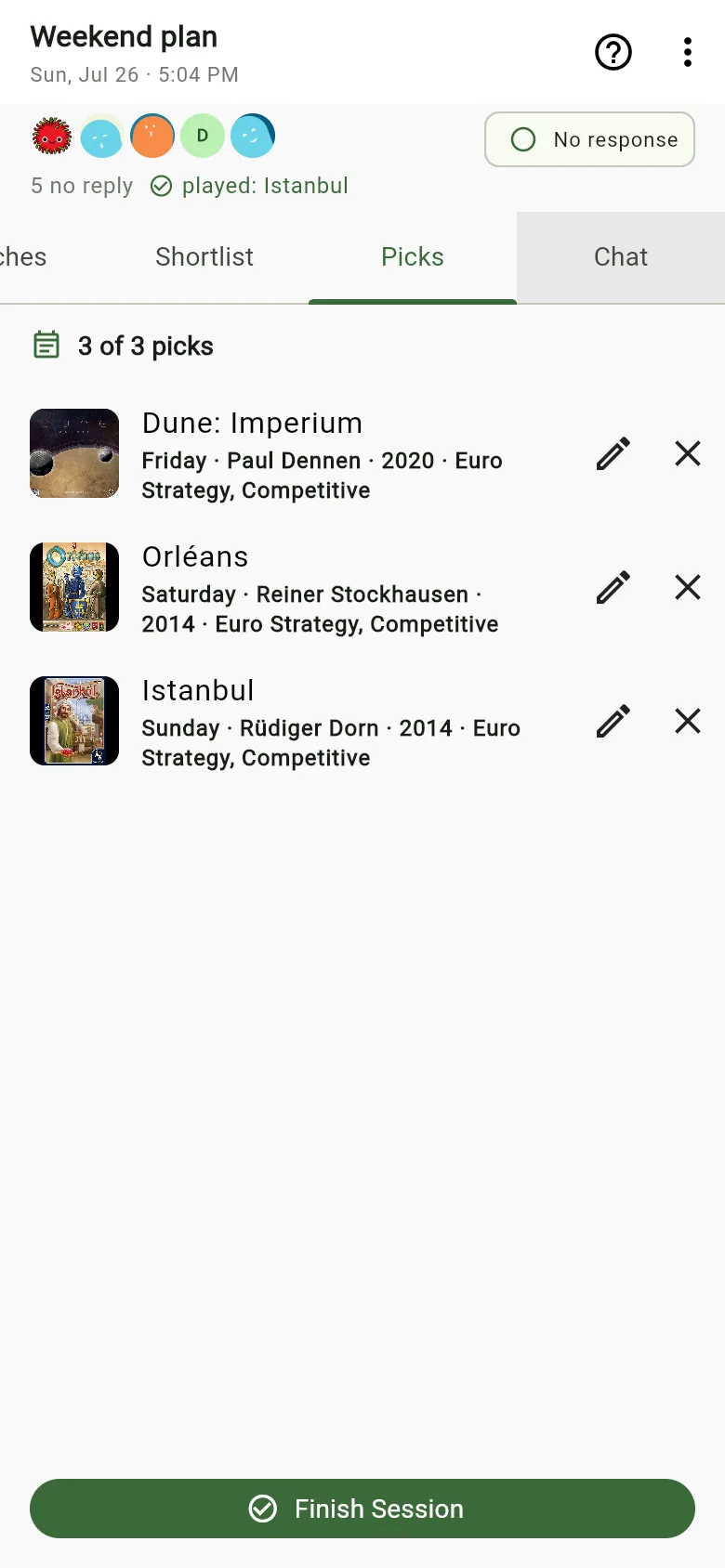
  • Log who played and who won, then see your group's leaderboard and fun facts.

ComPearApple only reads from BoardGameGeek. It never posts plays or changes anything there.

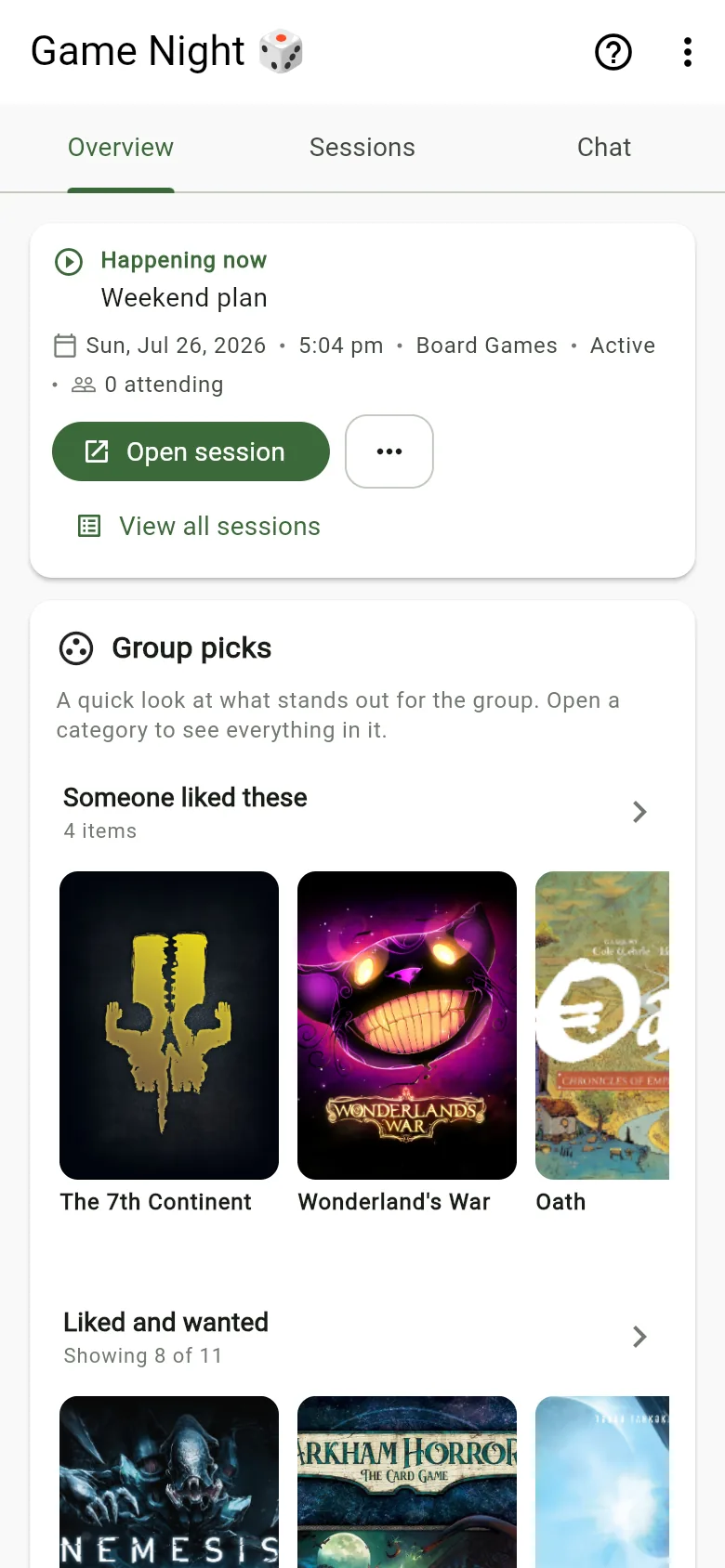
A game night Session's Matches tab filtered to owned games only, listing Kemet, Nemesis and Arkham Horror: The Card Game.
Game nights: a leaderboard of wins and plays, with fun facts such as champion, rivalry, marathon and high score.

For takeaway nights

Everyone's hungry. Nobody's choosing.

Rate the dishes you love, and see which cuisines the whole group is up for before anyone opens a delivery app.

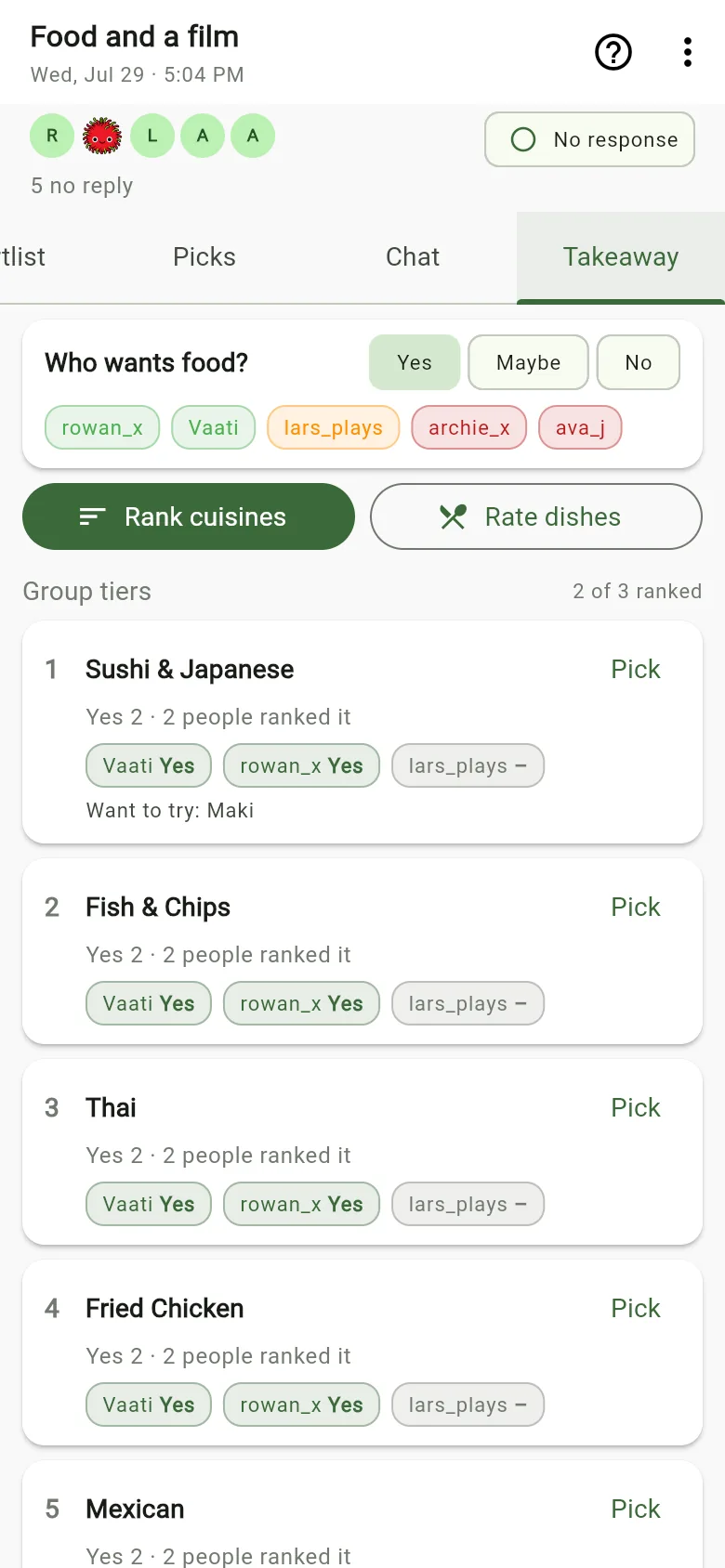
  • Ask who wants food, then rank cuisines together.
  • See who said yes to each cuisine, and the dishes people want to try.

ComPearApple doesn't take orders. Once you've chosen, it links you to delivery services to order there.

A Session's Takeaway tab: who wants food, then group tiers ranking Sushi and Japanese, Fish and Chips, Thai and Fried Chicken, with each person's answer.

Just you

Not deciding with anyone? That works too.

Build your Lists, keep track of what you want to try next, and find new favourites in Discover.

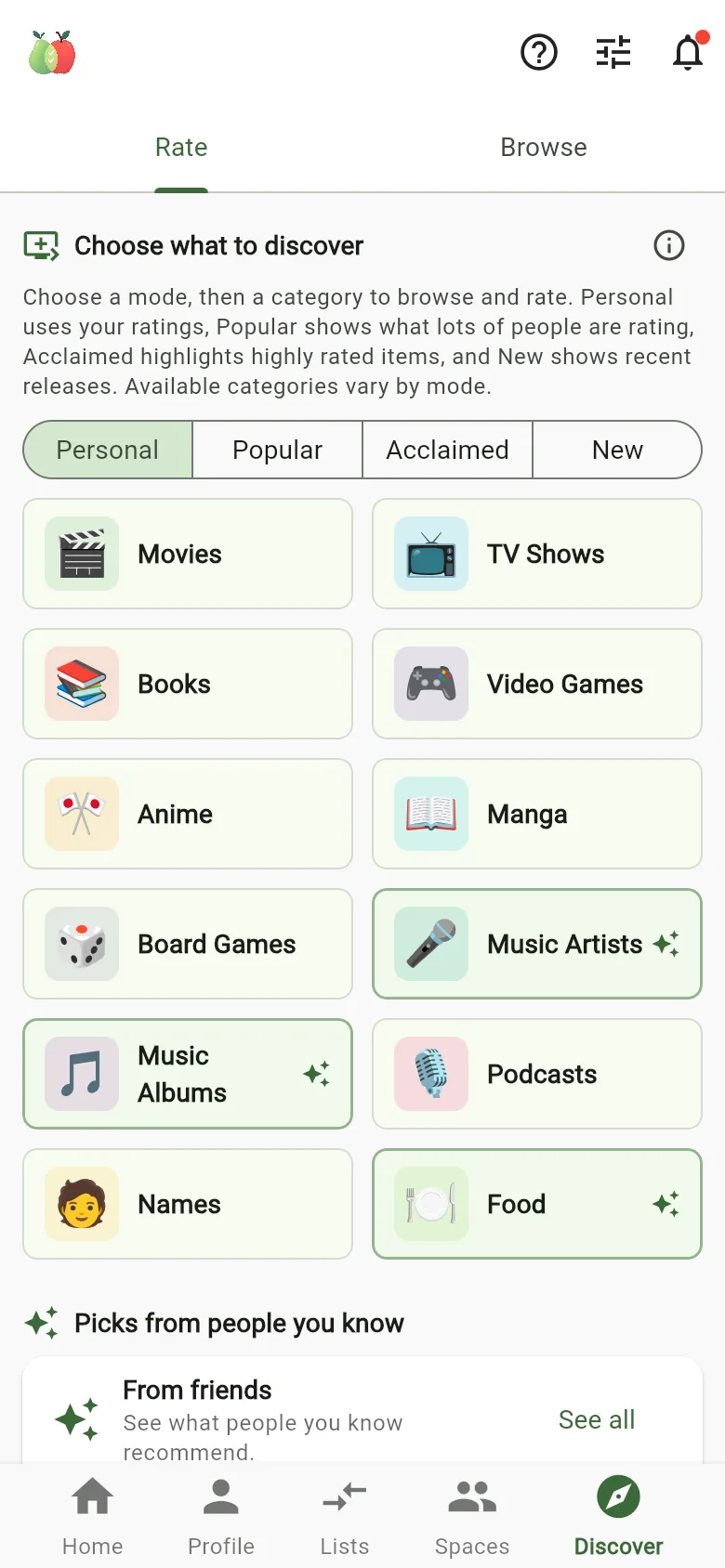
  • Four ways to discover: Personal (from your ratings), Popular, Acclaimed and New.
  • Compare two of your own Lists to see where they overlap.
  • Try it without an account. Rate, build Lists and explore Discover as a guest. Sign up when you want to bring friends in, and every rating comes with you.
Discover: choose Personal, Popular, Acclaimed or New, then a category such as Movies, TV Shows, Books, Video Games, Anime, Manga, Board Games, Music, Podcasts, Names or Food.

13 kinds of things to rate

  • Films
  • TV shows
  • Board games
  • Books
  • Video games
  • Anime
  • Manga
  • Podcasts
  • Music artists
  • Albums
  • Dishes
  • Takeaway
  • Baby names

Inside the app

What it looks like when you use it.

Every screen here is a real capture from ComPearApple, using demo accounts.

Why ComPearApple

Shared picks you can trust.

  • Evidence, not guesswork

    Shared picks come from what each of you actually rated, not a generic popularity chart. When there isn't much to go on, it says so.

  • Not just films

    Games, books, music, anime, food and more. Use one app for everything you choose together.

  • Your group stays together

    Spaces remember who's in, what you've rated and what you picked last time, so the next decision starts ahead.

  • Start on your own

    Rate and build Lists as a guest, with no sign-up. Create an account when you're ready to compare with friends.

Questions

Good to know

Is it free?

Yes. ComPearApple is free to download and use, with ads.

Premium is an optional subscription. It removes ads and lifts the limits on Lists, comparisons and Spaces. Prices are shown in the app and the store before you buy.

Can I try it without an account?

Yes. Choose Try it without an account when you open the app. As a guest you can rate, build Lists, use Discover and compare two of your own Lists.

Anything involving other people, such as friends, Spaces or comparing with someone else, needs an account. When you sign up, your ratings and Lists stay exactly as they are. Guest accounts that aren't used for 30 days are deleted.

Do my friends need the app?

Yes. To compare Lists or join your Space, each person needs ComPearApple on their phone and their own account.

Can I use it on my own?

Absolutely. Keep Lists of what you've enjoyed and what you want to try, discover new things based on your ratings, and look back at your rating history.

What can we rate?

Films, TV shows, board games, books, video games, anime, manga, podcasts, music artists, albums, dishes, takeaway and baby names.

Does it order food?

No. ComPearApple helps you agree on a cuisine and the dishes people fancy. When you're ready to order, it links you to delivery services, and you order with them.

What's the difference between a Space and a Session?

A Space is a group that lasts, like "Movie Night" or "Game Night". It remembers members, ratings and past picks.

A Session is one plan inside a Space, like this Friday's film. It has a date, who's coming, a shortlist and the final pick.

Which phones does it work on?

Android phones, from Google Play, and iPhone, from the App Store. There's no web version at the moment.

Who can see my ratings?

You choose whether each List is private, visible to friends, or public. You can delete your account and data at any time. See Delete account and the Privacy Policy.

Less deciding. More enjoying.

Get ComPearApple and find your next shared favourite. It's free, and you can start without an account.